
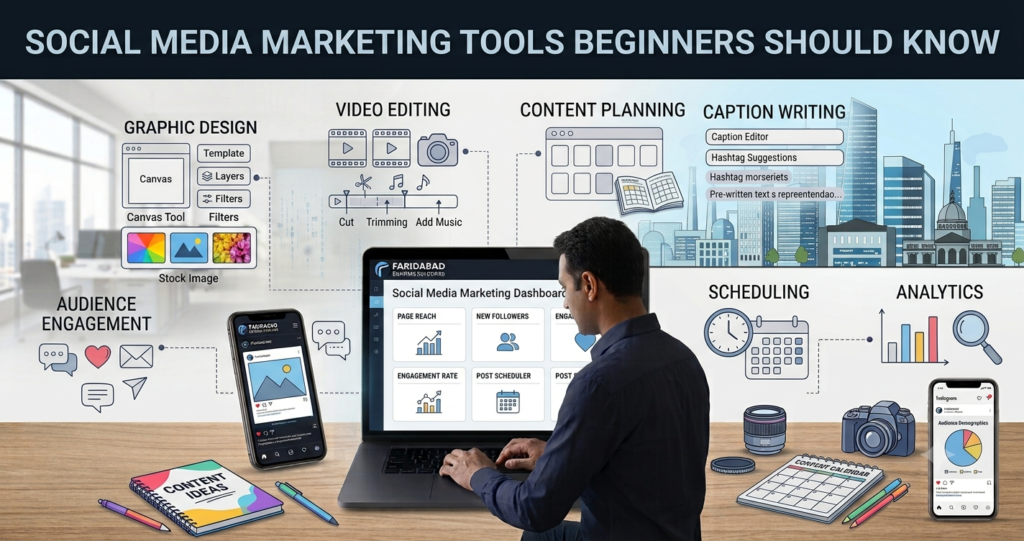
Starting social media marketing can feel overwhelming because there are hundreds of platforms, apps, dashboards, and automation systems available. Beginners often wonder which tools are genuinely necessary and which ones can be ignored until they gain more experience. The right social media marketing tools beginners should know can simplify content creation, scheduling, audience research, analytics, engagement, and campaign management without creating unnecessary complexity.
You do not need to master every tool at once. Instead, focus on a small set of reliable social media management tools, content creation tools, social media analytics tools, and social media scheduling tools that match your marketing goals. As your skills develop, you can gradually add more advanced solutions for paid advertising, influencer marketing, reporting, and social listening.
What Social Media Marketing Tools Should Beginners Learn First?
Beginners should start with tools that solve the most common social media marketing tasks: creating content, organising posts, scheduling publications, monitoring engagement, and measuring performance. Learning these core categories gives you a practical foundation before you move towards advanced advertising, influencer management, or customer relationship platforms. The best social media marketing tools beginners should know are not necessarily the most complicated or expensive ones; they are the tools that make everyday marketing work faster and more organised.
A beginner-friendly toolkit should also be easy to understand and flexible enough to support different platforms. For example, a content creator may need a graphic design platform, while a social media manager may need scheduling and analytics software. Similarly, a small business owner may benefit more from an all-in-one platform than from several specialised tools. Start with essential functions, practise regularly, and expand your toolkit as your workload increases.
1. Canva: Content Creation Tool
Canva is one of the most useful social media marketing tools beginners should know because it makes visual content creation simple. Beginners can use it to create Instagram posts, Facebook graphics, LinkedIn posts, stories, banners, carousels, thumbnails, and other marketing materials using ready-made templates. Its drag-and-drop interface allows users to customise fonts, images, icons, layouts, and other design elements without advanced graphic design knowledge. Learning Canva also helps beginners maintain consistent branding across different social media platforms.
2. Meta Business Suite: Facebook and Instagram Management
Meta Business Suite is useful for beginners managing Facebook and Instagram accounts. It allows businesses and marketers to create, schedule, publish, and manage content from a central dashboard. Beginners can also use it to respond to messages and comments and review basic performance insights. Learning this platform is particularly valuable for anyone planning to work with Facebook marketing or Instagram marketing campaigns.
3. Hootsuite: Social Media Management
Hootsuite is a social media management platform designed to help marketers manage multiple social networks from one place. Beginners can use it to understand content scheduling, social media monitoring, publishing workflows, and performance tracking. Instead of switching between different social platforms repeatedly, marketers can organise several activities through a central dashboard. It can become particularly useful for freelancers or social media managers handling multiple accounts.
4. Buffer: Social Media Scheduling
Buffer is a beginner-friendly tool for planning and scheduling social media content. Marketers can prepare posts in advance and organise them into publishing schedules for supported social networks. This makes it easier to maintain consistency without manually publishing every post at the exact time. Beginners can learn important concepts such as content calendars, publishing frequency, and scheduled content while using a relatively simple interface.
5. Google Analytics: Website Traffic Measurement
Google Analytics helps marketers understand what happens after users visit a website from social media. Beginners can use it to examine website traffic, user behaviour, traffic sources, and important actions completed on a website. This is important because social media performance should not always be judged only by likes, comments, or followers. Understanding website analytics helps beginners connect social media activity with broader digital marketing goals.
6. Google Trends: Topic and Trend Research
Google Trends is a useful research tool for identifying changes in search interest around topics, keywords, products, and subjects. Beginners can use it to discover topics that are gaining attention and develop relevant social media content around them. It can also help marketers compare different search terms and understand seasonal interest. Using trend research alongside audience knowledge can make content planning more strategic.
7. Sprout Social: Advanced Social Media Management
Sprout Social is a more advanced platform that combines social media management, engagement, analytics, listening, and reporting features. Beginners may not need all of its capabilities immediately, but learning how such platforms work can be valuable as their responsibilities increase. It demonstrates how professional social media teams organise publishing, monitor conversations, analyse performance, and create reports. Freelancers and aspiring social media managers can become familiar with these functions before moving into more advanced client work.
8. Brandwatch: Social Listening and Monitoring
Brandwatch focuses on social listening, audience insights, online conversations, and brand monitoring. It can help marketers understand what people are saying about particular brands, industries, topics, and trends across online channels. Beginners who want to develop skills in social media monitoring tools can study how social listening supports reputation management and audience research. While advanced platforms may be more suitable for larger organisations, understanding the concept is valuable for any aspiring social media marketer.
9. Semrush: Social Media and Digital Marketing Research
Semrush is widely known for SEO and digital marketing research, but it also provides tools that can support social media activities. Marketers can use the broader platform to research competitors, keywords, content opportunities, and online visibility. Beginners can learn how social media strategy connects with SEO, content marketing, and broader digital marketing activities. This makes it useful for those who want to develop skills beyond basic social media posting.
10. Grammarly: Social Media Writing
Grammarly can help beginners improve the clarity, grammar, spelling, and readability of social media captions and marketing copy. Strong writing is essential for creating engaging posts, advertisements, descriptions, and calls to action. Beginners can use writing assistance to identify common mistakes while continuing to develop their own communication skills. It is particularly useful for marketers who regularly create text-based content for several platforms.
11. CapCut: Short-Form Video Creation
CapCut is useful for beginners who want to learn short-form video editing for platforms such as Instagram and other video-focused social channels. It provides features for trimming clips, adding text, transitions, effects, captions, and other elements. Beginners can practise creating short promotional videos, educational clips, reels, and other engaging formats. Learning basic video editing is increasingly valuable because visual storytelling is an important part of modern social media marketing.
12. Google Sheets: Content Calendar and Planning
Google Sheets is a simple but powerful tool for organising a social media marketing workflow. Beginners can use it to create content calendars containing post dates, platforms, captions, content types, keywords, hashtags, links, and publication status. It can also be used to record monthly performance metrics and compare results over time. Although it is not a dedicated social media management platform, learning spreadsheets gives beginners an important organisational skill that can support almost every marketing project.
Which Content Creation Tools Are Best for Social Media Beginners?
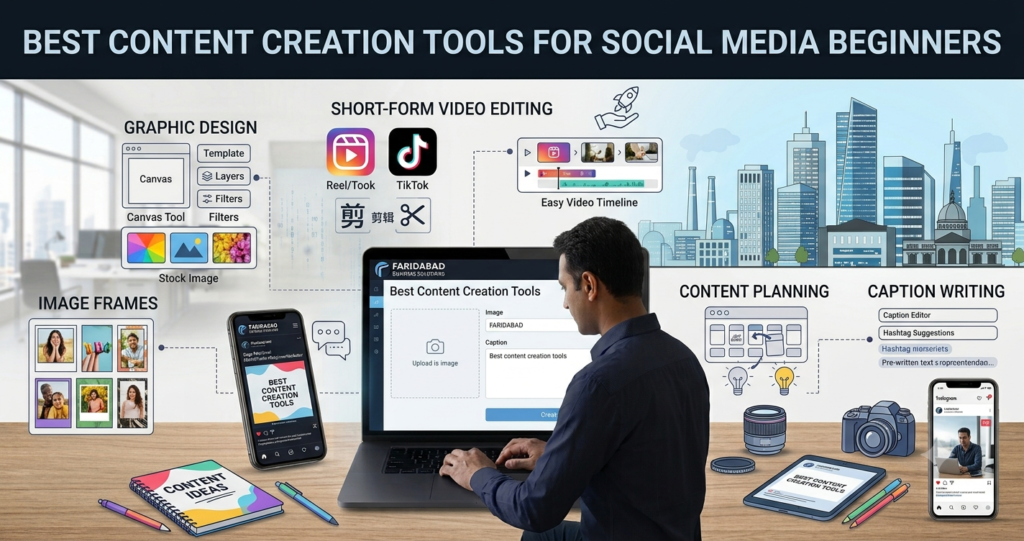
Content creation is one of the first areas beginners should learn because social media success depends heavily on consistent, useful, and visually appealing content. Content creation tools can help you produce graphics, presentations, short videos, social posts, carousels, and other marketing assets without requiring professional design skills. They are especially useful for beginners working with Instagram, Facebook, LinkedIn, Pinterest, and other visual platforms.
When selecting a content creation platform, look for simple templates, editable layouts, image libraries, typography options, resizing features, and easy export capabilities. Beginners should also learn basic principles such as visual hierarchy, spacing, brand consistency, readability, and appropriate image dimensions. A tool can make production easier, but strong content still depends on understanding the audience and communicating a clear message.
1. Canva: Easy Graphic Design
Canva is one of the best content creation tools for social media beginners because it offers an easy drag-and-drop interface and thousands of ready-made templates. Beginners can create Instagram posts, Facebook graphics, LinkedIn posts, stories, carousels, banners, thumbnails, and promotional creatives without needing advanced graphic design skills. It also provides fonts, icons, stock images, illustrations, and other design elements that make content creation faster and more professional.
2. Adobe Express: Quick Social Media Designs
Adobe Express is another useful option for beginners who want to create professional-looking social media graphics quickly. It provides templates and editing features for posts, videos, flyers, banners, and other visual content. Beginners can resize designs, add text and images, remove backgrounds, and customise templates according to their branding. It is particularly helpful for users who want a simple introduction to Adobe’s creative ecosystem.
3. CapCut: Short-Form Video Editing
CapCut is a popular choice for beginners learning social media video creation. It provides simple editing features such as trimming, transitions, captions, effects, text overlays, and audio editing, making it suitable for creating short-form videos. Beginners can practise producing Reels, promotional clips, tutorials, educational videos, and other engaging content. Learning basic video editing through a beginner-friendly platform can be valuable as video continues to play an important role in social media marketing.
4. InShot: Mobile Content Editing
InShot is a convenient mobile editing application for beginners who prefer creating content directly from their smartphones. It supports basic photo and video editing, including cropping, resizing, text, filters, transitions, music, and other adjustments. This makes it useful when marketers need to create or edit content quickly without using a computer. Beginners can use it to prepare social media videos and visual posts while developing their editing skills.
5. Adobe Photoshop: Advanced Image Editing
Adobe Photoshop is a more advanced visual content creation tool, but beginners who want to develop professional graphic design skills can gradually learn its fundamentals. It provides extensive capabilities for photo editing, image manipulation, typography, compositing, and creative design. Although it has a steeper learning curve than template-based tools, understanding Photoshop can help social media professionals create highly customised graphics. It becomes especially valuable when working on professional campaigns that require designs beyond standard templates.
6. Adobe Premiere Pro: Professional Video Editing
Adobe Premiere Pro is designed for more advanced video editing and can help social media marketers develop professional video production skills. It provides tools for editing footage, adding titles, adjusting audio, creating transitions, and producing polished marketing videos. Beginners may find it more complex than mobile editing applications, so it is better approached after learning basic video editing principles. Once mastered, it can support more sophisticated social media campaigns and branded video content.
7. VistaCreate: Template-Based Social Content
VistaCreate is a template-based design platform that can help beginners produce social media graphics without starting every project from a blank canvas. It provides templates for different social platforms and formats, along with visual elements that can be customised. Beginners can experiment with layouts, typography, animations, and branding while developing their design confidence. It is particularly useful for marketers who need to create multiple types of visual content regularly.
8. Piktochart: Infographics and Educational Content
Piktochart is useful for creating infographics, presentations, charts, and other information-focused visual content. Beginners can use templates to transform complex information into more accessible and visually appealing formats. This is especially helpful for educational brands, B2B businesses, consultants, and marketers who regularly share statistics or informative content. Learning to present information visually can also improve the quality of social media carousels and educational posts.
9. Unsplash: High-Quality Stock Images
Unsplash can provide beginners with high-quality photographs that can be used as visual resources for social media content, subject to the platform’s current licence terms. Stock photography is useful when marketers do not have suitable original images for a particular post. Beginners should select photographs that genuinely support their message and maintain a consistent visual style rather than choosing unrelated decorative images. Combining appropriate stock photography with strong typography and branding can produce clean and professional social creatives.
10. Pexels: Free Visual Resources
Pexels is another useful source of stock photographs and videos for content creation. Beginners can explore visual material related to business, lifestyle, technology, travel, education, and many other subjects. These resources can help marketers create social media posts when original photography or video footage is unavailable. However, users should always review the current usage terms and avoid presenting stock images as original brand photography.
11. Grammarly: Social Media Copywriting
Although Grammarly is primarily a writing assistance tool rather than a design platform, it can be extremely useful when creating social media content. Beginners can use it to check spelling, grammar, clarity, punctuation, and readability before publishing captions, advertisements, descriptions, and other written content. Clear writing makes visual content more effective because even a well-designed graphic can lose impact when its message contains errors. It can therefore complement graphic design and video creation tools.
12. Google Docs: Content Planning and Collaboration
Google Docs is a simple tool that beginners can use to write and organise social media captions, campaign ideas, scripts, headlines, and content briefs. It also makes collaboration easier when writers, designers, clients, or marketing teams need to review content before publication. Beginners can create separate documents for content ideas, monthly campaigns, video scripts, and caption drafts. While it is not a specialised design application, it can become an important part of an organised social media content creation workflow.
How Do Social Media Scheduling Tools Help Beginners Save Time?
Social media scheduling tools allow marketers to plan content ahead of time instead of publishing every post manually. They can be especially useful when managing several social networks simultaneously. By preparing a content calendar and scheduling posts in advance, beginners can maintain consistency while spending more time on strategy, community engagement, and performance analysis.
Scheduling does not mean that every social media activity should be automated. Important comments, customer questions, trending conversations, and unexpected events often require human attention. Beginners should use scheduling as a productivity system rather than treating it as a complete replacement for active social media management. The most effective approach combines planned content with regular real-time engagement.
Benefits of Social Media Scheduling
- Consistent Publishing: Scheduling makes it easier to maintain a regular posting routine. Consistency helps businesses remain visible and gives audiences predictable opportunities to interact with content.
- Content Planning: You can prepare posts around campaigns, holidays, product launches, educational themes, or weekly content pillars. This makes your overall social media strategy more organised.
- Time Management: Instead of creating and publishing one post at a time, beginners can prepare multiple posts during dedicated content sessions. This reduces repetitive daily tasks.
- Multiple Platform Management: Many scheduling platforms support several social networks from one dashboard. This can simplify workflows when a business maintains multiple social profiles.
- Content Calendar Integration: A scheduling system can work alongside a content calendar to show what is planned, published, or awaiting approval. This helps prevent gaps and unnecessary repetition.
- Performance Review: Many scheduling platforms provide basic performance information after publication. Beginners can compare posts and gradually identify the content formats and topics that generate stronger results.
How Can Beginners Use Hashtag Research and Keyword Tools?
Hashtag research tools can help beginners discover relevant terms and understand how different hashtags relate to specific topics or audiences. Although hashtags are not a guaranteed method for increasing reach, they can help organise content and improve topical relevance on platforms where hashtags remain useful. Beginners should avoid selecting hashtags simply because they have extremely high usage.
Keyword research is also valuable because social media content increasingly appears in platform searches and traditional search results. Understanding what audiences search for can help marketers create captions, video titles, descriptions, and educational posts around genuine user interests. The strongest approach combines keyword relevance, audience intent, content quality, and platform-specific behaviour.
Practical Research Techniques
- Identify Core Topics: Start by listing the main subjects connected to your business. These topics can become the foundation for hashtag, keyword, and content research.
- Study Search Suggestions: Platform search suggestions can reveal phrases people are actively exploring. Beginners can use these suggestions to generate content ideas and identify audience questions.
- Analyse Competitor Hashtags: Review relevant competitors to understand which hashtags and topics they use. Focus on patterns and opportunities rather than copying their complete strategy.
- Use Specific Hashtags: Highly specific hashtags may attract a smaller but more relevant audience. A balanced combination of broad and niche terms can make more sense than relying exclusively on popular tags.
- Match Search Intent: Consider what a person actually wants when searching a keyword. Educational, commercial, inspirational, and informational searches may require completely different content.
- Track Results: Test different keyword and hashtag approaches and review performance over time. Data can show which topics attract meaningful engagement rather than relying on assumptions.
How Should Beginners Build a Social Media Marketing Toolkit?
The best way to build a toolkit is to start with essential functions rather than collecting as many applications as possible. Beginners should first identify what they need to accomplish: create content, schedule posts, monitor conversations, analyse results, and report performance. Once these tasks are covered, additional tools can be introduced only when they solve a specific problem or improve productivity.
Your toolkit should also evolve with your experience. Someone managing one Instagram account may need only a design platform, native analytics, and a simple scheduling system. A freelancer handling several clients may eventually need advanced social media management, reporting, collaboration, monitoring, and workflow solutions. Understanding social media marketing tools beginners should know is therefore less about memorising software names and more about understanding what each tool category is designed to accomplish.
Steps to Create Your Toolkit
- Define Your Goals: Decide whether your priority is awareness, engagement, traffic, lead generation, sales, or community building. Your objectives determine which tools and metrics are most relevant.
- Start With Essential Tools: Begin with content creation, scheduling, analytics, and basic monitoring. Avoid paying for advanced features before you understand your everyday requirements.
- Choose Platform Compatibility: Check whether a tool supports the social networks you actually use. A feature-rich platform is not useful if it does not integrate effectively with your chosen channels.
- Consider Ease of Use: Beginners should prioritise intuitive interfaces and accessible learning resources. A simpler tool that you use consistently can be more valuable than a complex platform you rarely understand.
- Review Pricing Carefully: Compare free plans, subscriptions, user limits, account limits, and additional charges. Choose tools according to your current workload rather than future needs.
- Evaluate Performance Regularly: Your toolkit should change as your workflow changes. Review which tools save time, improve results, or provide useful insights, and remove unnecessary ones.
Conclusion
Learning social media marketing tools beginners should know is an important step towards building an organised and effective digital marketing workflow. The right tools can simplify content creation, scheduling, audience research, engagement, analytics, monitoring, and reporting while giving beginners more time to focus on strategy and creativity.
However, tools alone do not create successful social media campaigns. Strong results come from understanding your audience, producing valuable content, maintaining consistency, engaging authentically, and analysing performance regularly. Start with a small and practical toolkit, master the fundamentals, and add advanced social media automation tools, analytics platforms, and reporting solutions only when your marketing needs justify them.
Explore Our Recent Blog
- Social Media Skills Every Beginner Should Learn
- Digital Marketing Course Syllabus: What Will You Learn?
- Social Media Marketing Course Syllabus Explained
- How to Choose the Right Digital Marketing Course?
- Instagram Marketing Skills You Should Learn
Frequently Asked Questions
1. What are the most important social media marketing tools beginners should know?
The most important categories include content creation, scheduling, analytics, monitoring, engagement, and reporting tools. Beginners should first learn tools that make these everyday tasks easier and more organised. There is no need to master dozens of platforms at the beginning.
2. Do beginners need paid social media marketing tools?
No, beginners can start with free or low-cost tools and the analytics provided by social platforms themselves. Paid tools become more useful when you manage multiple accounts, require advanced reporting, or need more sophisticated workflow features. Choose paid software only when its additional capabilities provide clear value.
3. Which tools are best for creating social media content?
Beginners should look for easy-to-use visual content creation tools with templates, graphics,image libraries, resizing options, and basic video features. The exact choice depends on the platforms and content formats you plan to use. More importantly, learn basic design and content principles alongside the tool.
4. How do social media scheduling tools improve marketing?
Scheduling tools allow marketers to prepare and publish content in advance. They can improve consistency, reduce repetitive work, and make content planning easier across multiple platforms. However, scheduling should be combined with active engagement and regular monitoring.
5. Which social media analytics should beginners track?
Beginners can start with reach, impressions, engagement, follower growth, link clicks, and conversions. The most important metrics depend on your marketing objectives. Instead of tracking every available number, focus on metrics that show whether your social media strategy is achieving meaningful results.
6. How many social media marketing tools should a beginner use?
There is no fixed number because the right toolkit depends on your goals, platforms, workload, and budget. A beginner can often start with a small combination covering content creation, scheduling, analytics, and monitoring. As your responsibilities grow, you can add specialised tools when there is a clear business or productivity reason.
